
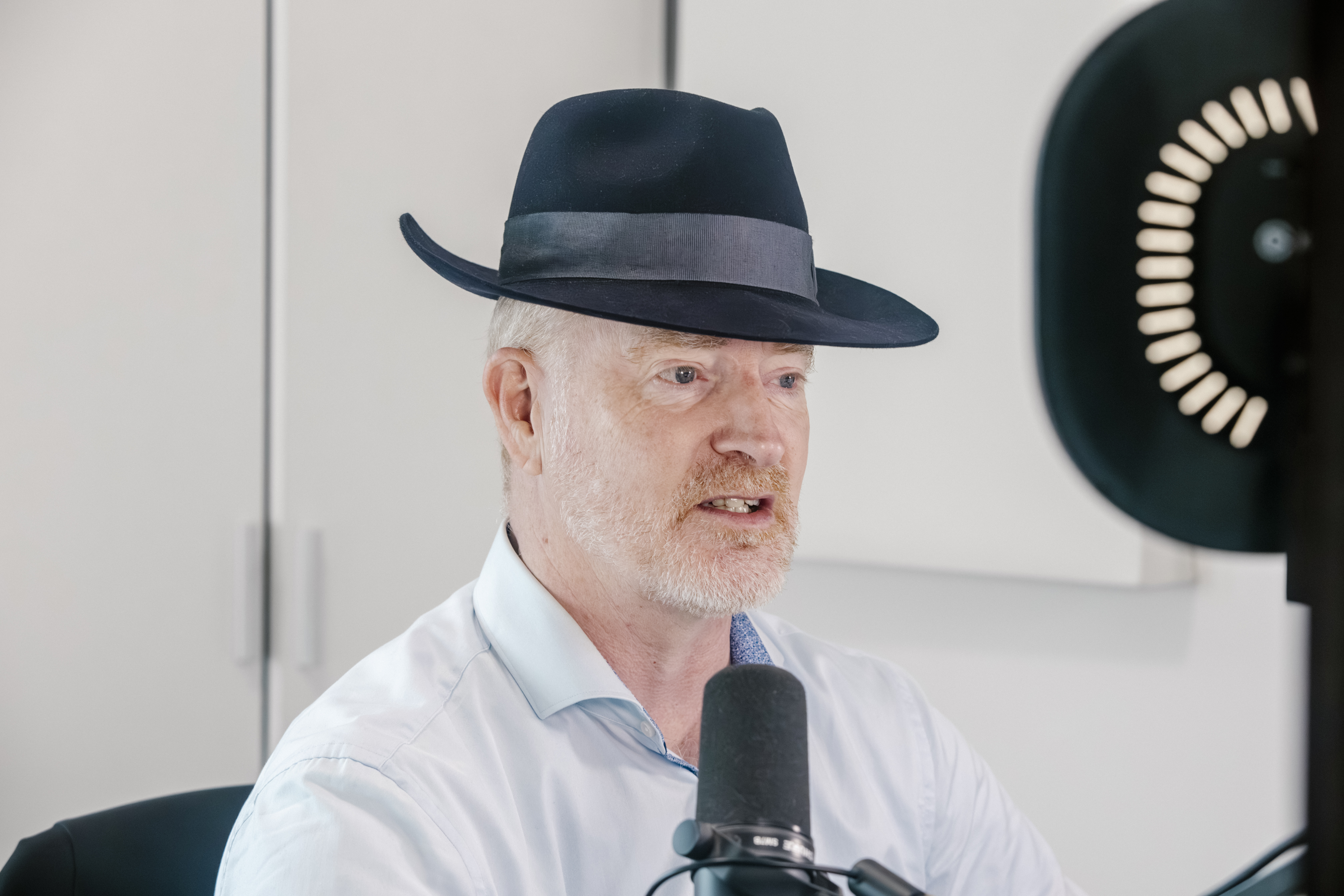
There is a persistent myth about podcasting that needs to be put out of its misery.
The myth says the work is the interview.
It is not.
The interview is the raw material. The real work is the system around it: how guests are selected, prepared, recorded, edited, packaged, hosted, published, and improved over time without depending on luck, adrenaline, or Sunday evening panic.
I have learned this over hundreds of episodes.
My Resilient Supply Chain podcast now has more than 510 episodes behind it. Climate Confident has passed 280. Together, they have generated more than 550,000 audio downloads and more than 600,000 YouTube views. Consistency at that scale is not an accident. It is a production system.
This is my current workflow. Current is doing quite a lot of work in that sentence.
It has changed repeatedly. It will change again. Podcasting is shifting from audio-first to multi-format media, and Apple’s move to support a stronger native video podcast experience inside Apple Podcasts is one more signal that production workflows cannot stand still. [1]
I think of the workflow as a media supply chain.
There are inputs, quality gates, dependencies, production steps, packaging, hosting, publishing, feedback loops, and a constant search for the next bottleneck.
For me, consistency is the anchor. Resilient Supply Chain goes live every Monday at 7am in Spain. Climate Confident goes live every Wednesday at 7am. The time itself is not sacred. The rhythm is. Listeners know when to expect a new episode. Guests and partners understand the cadence. I know what has to happen before each episode ships.
That predictability matters because podcasting has expanded well beyond audio. Edison Research reported in 2025 that 73% of Americans aged 12+ had consumed a podcast in audio or video format, 51% had watched one, and YouTube was the service used most often by U.S. weekly podcast listeners. [2]
A modern podcast is audio, video, search asset, credibility engine, and library of reusable thinking. Treat the recording as the finished product and most value quietly leaks away.
The workflow starts before anyone presses record.
I use online scheduling tools such as Cal.com and Calendly for intro and vetting calls. The call asks three questions: can the guest explain their ideas clearly, does the topic serve the audience, and is there enough substance?
If the fit is good, we schedule the recording. I ask the guest to send a few bullet points on topics they would be happy to discuss. These are not a script. Scripted interviews tend to sound like two corporate statements trapped in a lift. The bullets are a safety net if the conversation drifts.
Once the recording is booked, I add the recording link, platform details, guest notes, context, and audio/video guidance to the calendar invite. I ask guests to use a proper microphone if possible, avoid noisy rooms, wear headphones, and sit somewhere with decent light.
Some follow the advice. Some do not. This is why the workflow needs repair mechanisms.
My own hardware is intentionally stable: MacBook Pro, RodeCaster Duo interface, Shure SM7B microphone on a Rode PSA1 boom arm, Elgato Facecam, two Elgato Key Light Air lights, and Ecamm Live as my virtual camera.
This setup is about reliability, clarity, and repeatability. Gear should reduce friction. If it creates fresh anxiety before every recording, it is a tax on attention.
The setup has evolved too. I used to use my iPhone as a webcam through Apple’s Continuity Camera feature. It worked well. I now use an Elgato Facecam because it gives me more predictability and control.
That is the broader pattern.
I used Trint for transcription. Then Otter. Now transcription is handled inside Descript, alongside recording and editing. I used Audacity, then GarageBand, then Hindenburg for editing. Now I use Descript. For now.
That qualifier matters. This is not a love letter to a tool stack. Tools are useful until a better process, integration, or outcome appears. The loyalty is to the work, not the logo.
On recording day, I always have a warm-up conversation before the formal interview begins. Guests may be senior executives, founders, scientists, engineers, analysts, or policy specialists. They know their subject. That does not mean they are relaxed on camera. A few minutes of normal conversation changes the energy and lets me hear how they naturally speak before the recording starts.
I record using Descript Rooms. It captures local audio and video and keeps the session inside the same environment I use for editing. Descript says Rooms supports local recording with high-quality audio and video, including separate tracks, which gives more control later in production. [3]
After recording, the episode moves into editing in Descript.
This is one of the largest workflow changes I have made. Text-based editing changes the feel of audio and video production. Descript lets you edit media by editing the transcript, with the underlying audio or video changing as the text changes. [4]
That is powerful. It is not magic. And Descript is updated frequently. This is a double-edged sword. New features are added which can be good, but also existing functionality can move, behaviours can change, and things can occasionally break. Its AI functionality is useful too, but potentially eye-wateringly expensive if used carelessly as I found out to my cost when I allowed my older son to use it recently for a college project 🤦🏼♂️. AI is a tool. A blank cheque to a cloud model is not a production strategy.
My edit includes several stages. I correct the transcription, and remove filler words where appropriate. Then I create clips. I identify a cold opening, usually a short moment that captures the stakes of the conversation. I record the intro. I apply automatic multicam. I add the bumper and outro. Then I export subtitles, transcription, and the video.
From there, I prepare episode artwork in Canva, both for the podcast feed and for YouTube. Packaging matters. A strong conversation can still underperform if the title, artwork, or thumbnail fails to make the value clear.
Each episode then enters what I think of as the metadata factory: title, show notes, hashtags, guest profile, chapter markers, subtitles, transcript, episode number, and supporting details. Chapter markers are especially useful for long-form interviews. Podcast hosting company Buzzsprout describes them as labelled sections that help listeners move through an episode, preview what is ahead, or skip parts. [5]
Before publication, I email the guest to confirm the publication date and request a profile photo and bio if needed. This is ordinary admin, but ordinary admin is where many workflows become clogged. A missing bio, a late headshot, or a last-minute correction can slow everything else.
Once the video is exported, I run it through Auphonic to clean it up.
Auphonic has become hugely important because remote guest audio is inherently variable. I can control my microphone, room, and levels. I cannot control the guest’s laptop fan, kitchen acoustics, internet connection, keyboard noise, or the dog who has apparently chosen that exact moment to protest late capitalism.
Auphonic helps smooth some of that variation. Its published feature set includes noise and reverb reduction, intelligent levelling, filtering, AutoEQ, loudness processing, video support, metadata, and chapters. [6] For an interview-led podcast, that kind of post-production support is not cosmetic. It protects listenability.
After Auphonic finishes processing, I download the video and move into hosting and publishing.
Buzzsprout is the host for both of my podcasts. I have used other hosts in the past, including Libsyn and Podbean, and both have their place. Buzzsprout has become my preferred home because it is clean, practical, reliable, and backed by excellent support.
Support is easy to undervalue until something breaks.
When you publish every week, support is part of the resilience architecture. If an upload fails, a feed behaves strangely, or a metadata issue appears just before publication, you do not want to shout into a ticketing void. You want people who understand podcasting and respond with clarity.
Buzzsprout’s own customer-support podcast, Happy to Help, is a useful signal here. It is hosted by Priscilla Brooke, Buzzsprout’s Head of Podcaster Success, and focuses on making customer support better. [7] A company willing to talk publicly about support usually understands that support is part of the product.
For the podcast feed, I add the title, show notes, episode art, episode number, creator details, hashtags, processed video file, guest page, chapters, and custom transcription to Buzzsprout. Buzzsprout’s support for submitting video podcasts to Apple Podcasts also matters now that video is becoming a more central part of podcast distribution. [8]
Then I prepare YouTube separately: title, description, hashtags, thumbnail text, subtitles, playlist selection, and end screen. YouTube has its own discovery logic and viewer behaviour. A title that works for a podcast app may be too flat for YouTube. A podcast artwork tile may be too quiet as a video thumbnail.
Once the episode is packaged for both the podcast feed and YouTube, I schedule it for publication. In practice, I typically finish the edit the day before go-live, then schedule the episode to publish at the usual 7am slot.
Then, at 7am, it goes live. The waiting multitudes presumably abandon breakfast, sprint to their podcast apps, and download immediately. Or, in the slightly less theatrical version, the episode enters the world at the expected time, on the expected day, in the expected places.
That matters. Consistency builds trust quietly. No fireworks. No drama. Just showing up when people expect you to show up.
After that, the promotion process begins.
This post, though, is deliberately focused on production and publication. I am not covering promotion, monetisation, sponsorship, paid amplification, newsletter strategy, social distribution, or the broader business model here. Those are important, but they deserve separate posts.
For now, the lesson from hundreds of episodes is this: creativity scales only when operations carry it.
The warm-up conversation helps the guest. The bullet points protect the flow. The calendar invite reduces friction. The hardware stabilises quality. Descript consolidates recording, transcription, and editing. Auphonic reduces audio risk. Canva supports packaging. Buzzsprout hosts and supports the shows. YouTube requires its own publishing logic. Chapters, subtitles, transcripts, titles, artwork, descriptions, tags, and end screens turn one conversation into a structured media asset.
None of this is heroic. That is the point.
Heroics are a poor operating model. If a publishing system depends on repeated last-minute rescue missions, it is not a system. It is theatre with a deadline.
Podcasting is an operating system for trust.
And like any operating system, it needs maintenance, updates, guardrails, responsive partners, and a willingness to keep improving.
The surprise, for me, is that podcasting has taught me as much about supply chains as supply chains have taught me about podcasting. Flow matters. Bottlenecks matter. Quality control matters. Consistency matters. Support matters. Resilience is built before the disruption arrives.
This workflow will change again. It should. If you have suggestions, better tools, sharper practices, or lessons from your own production process, I would love to hear them. Continuous improvement is not a slogan. It is how the shows keep getting better.
Citations
[1] Apple announced a new HLS-enabled video podcast experience for Apple Podcasts in February 2026, including switching between watching and listening, horizontal display, and offline video downloads.
[2] Edison Research’s Infinite Dial 2025 reported that 70% of Americans aged 12+ had listened to a podcast, 51% had watched one, 73% had consumed a podcast in audio or video format, and YouTube was the service used most often by U.S. weekly podcast listeners.
[3] Descript describes Rooms as supporting local recording with high-quality audio and video, including separate tracks and up to 4K capture.
[4] Descript describes its product as letting users record, transcribe, edit, and publish in one tool, with audio and video editing built around text.
[5] Buzzsprout describes chapter markers as labelled sections that help listeners navigate, preview, or skip through podcast episodes.
[6] Auphonic lists noise and reverb reduction, intelligent levelling, filtering, AutoEQ, loudness processing, video support, metadata, and chapters among its features.
[7] Happy to Help is Buzzsprout’s customer-support podcast, hosted by Priscilla Brooke, Buzzsprout’s Head of Podcaster Success.
[8] Buzzsprout provides guidance for submitting video podcasts to Apple Podcasts, and coverage of its launch notes that its video plans include transcripts.
Leave a Reply